 ExpenseHut · Help Docs
Goods & Service Tax (INDIA)
ExpenseHut helps merchants stay GST-compliant by automatically calculating taxes, generating GST-ready invoices, and providing detailed sales reports. With clear tax summaries and organized reporting, merchants can simplify GST filing and reduce manual bookkeeping.
How to use
Please note the following features will be visible only for organizations who has set their country to India. For multi-country locations, please email [email protected] to enable multi-location subscription for you.
Add your GSTIN from Tax Settings. Once configured, your GSTIN will automatically appear on all GST invoices generated by ExpenseHut.
Assign a GST rate to each product based on its applicable tax category. ExpenseHut automatically calculates GST for every sale and invoice using the tax rate configured for each product.
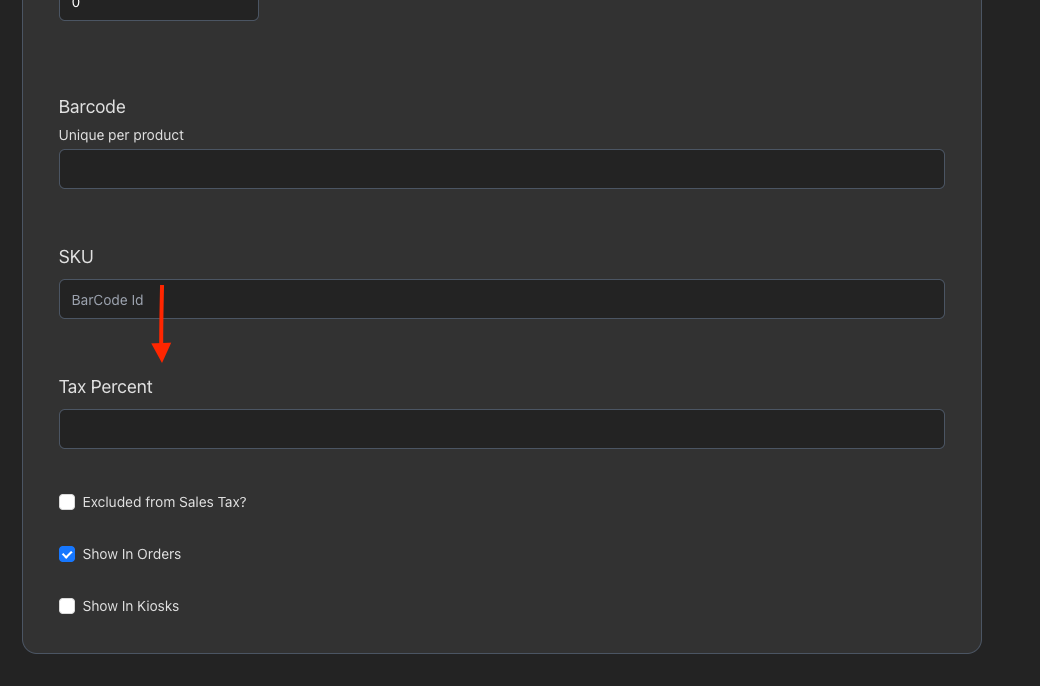
To set a tax for product, go to More -> Products and select your product.
Scroll down to see the Tax input field.
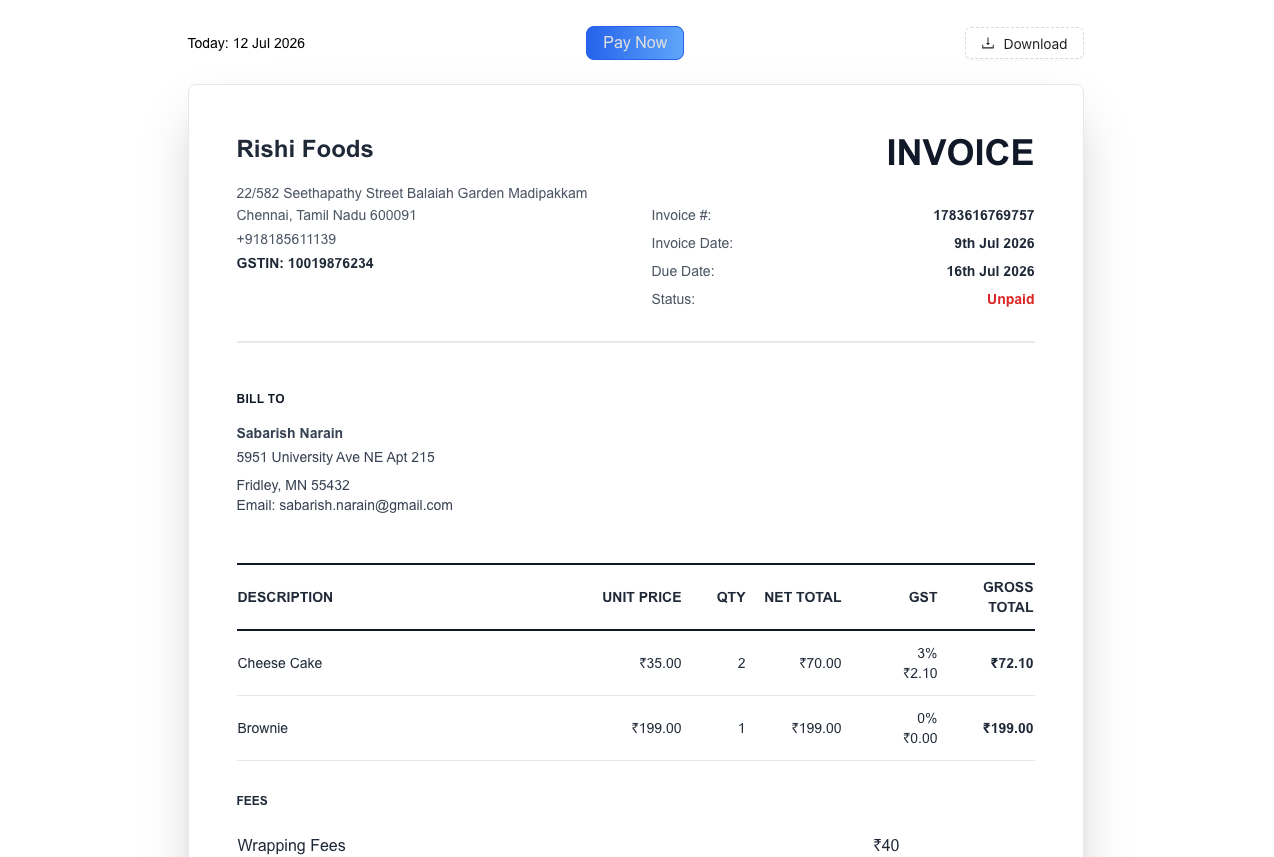
Generate GST-ready invoices with itemized tax amounts, subtotal, GST total, and grand total, making it easy to maintain accurate business records and simplify tax filing. Download them as pdf from the web.
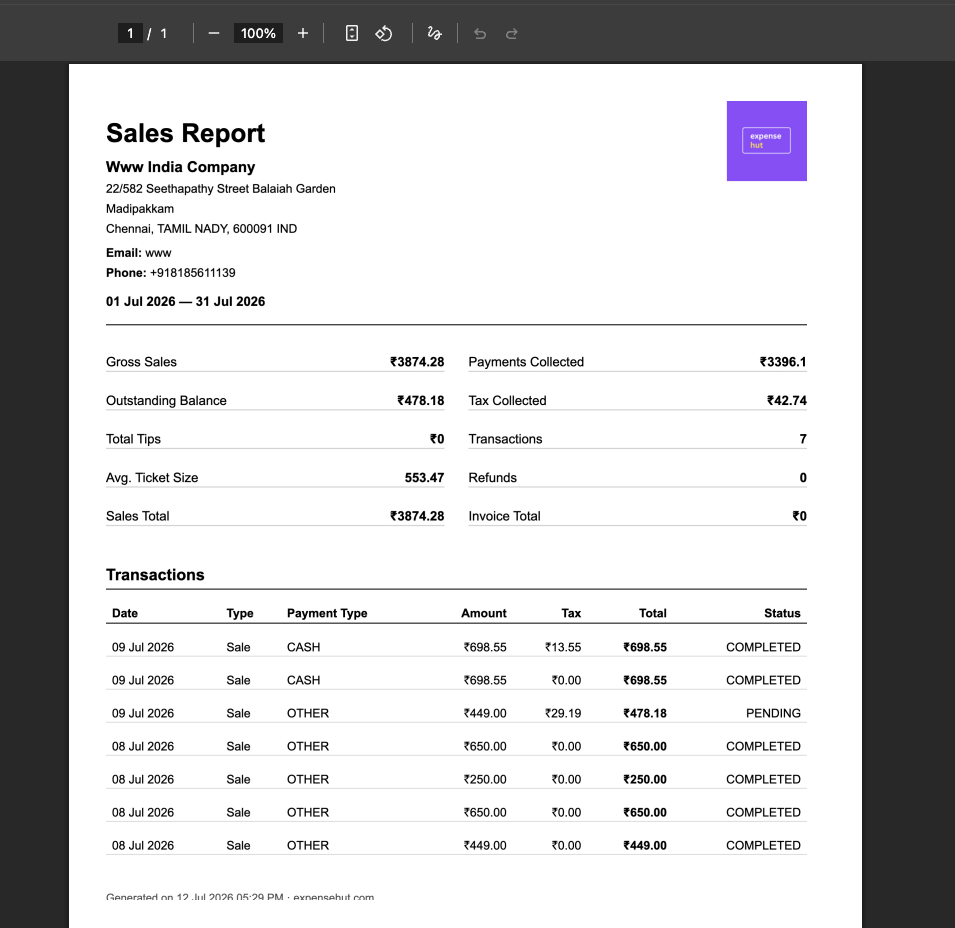
To make it convenient for Indian merchants, ExpenseHut allows you to visualize your sales in the reports dashboard. To view them, please go to More-> Reports -> Sales Reports.
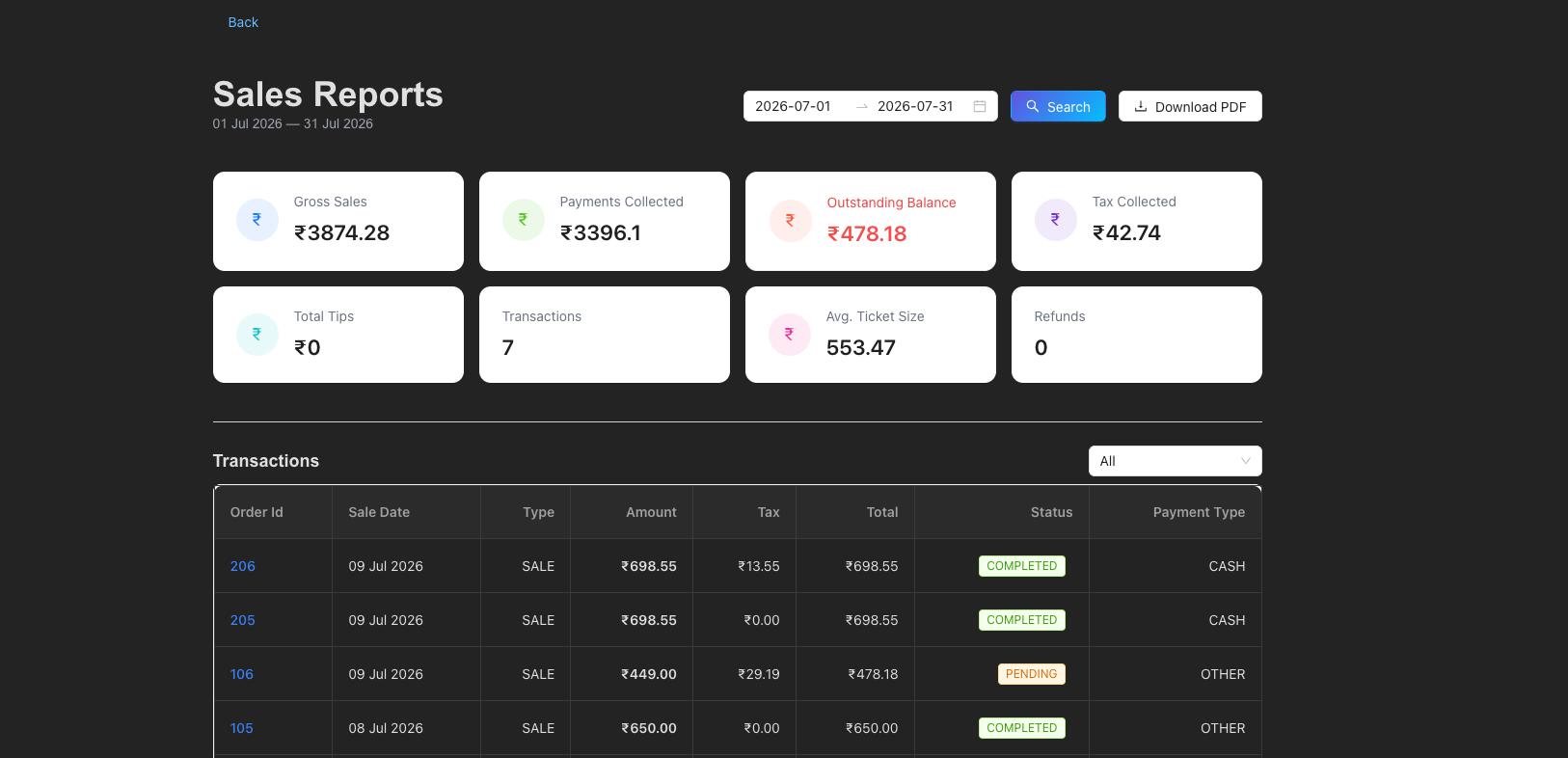
This report can downloaded in pdf format.
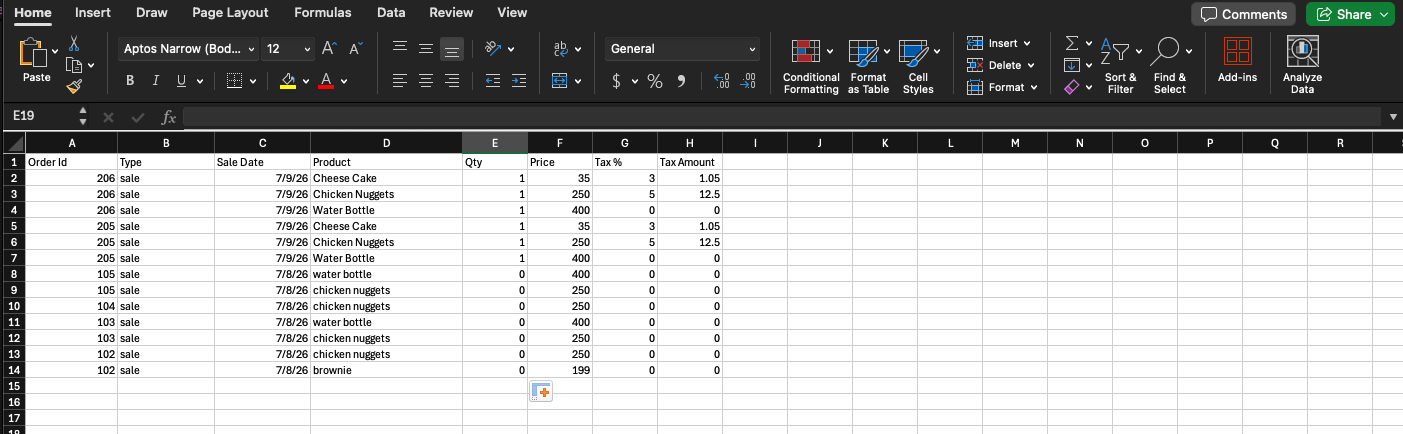
To download line items sales, that is closer to the expected GST spreadsheet format to disclose each item sold and the tax collected, please use the GST Line Items reports. This report is available under More -> Reports -> GST Line Items
Note, this option is visible only to Indian merchants.
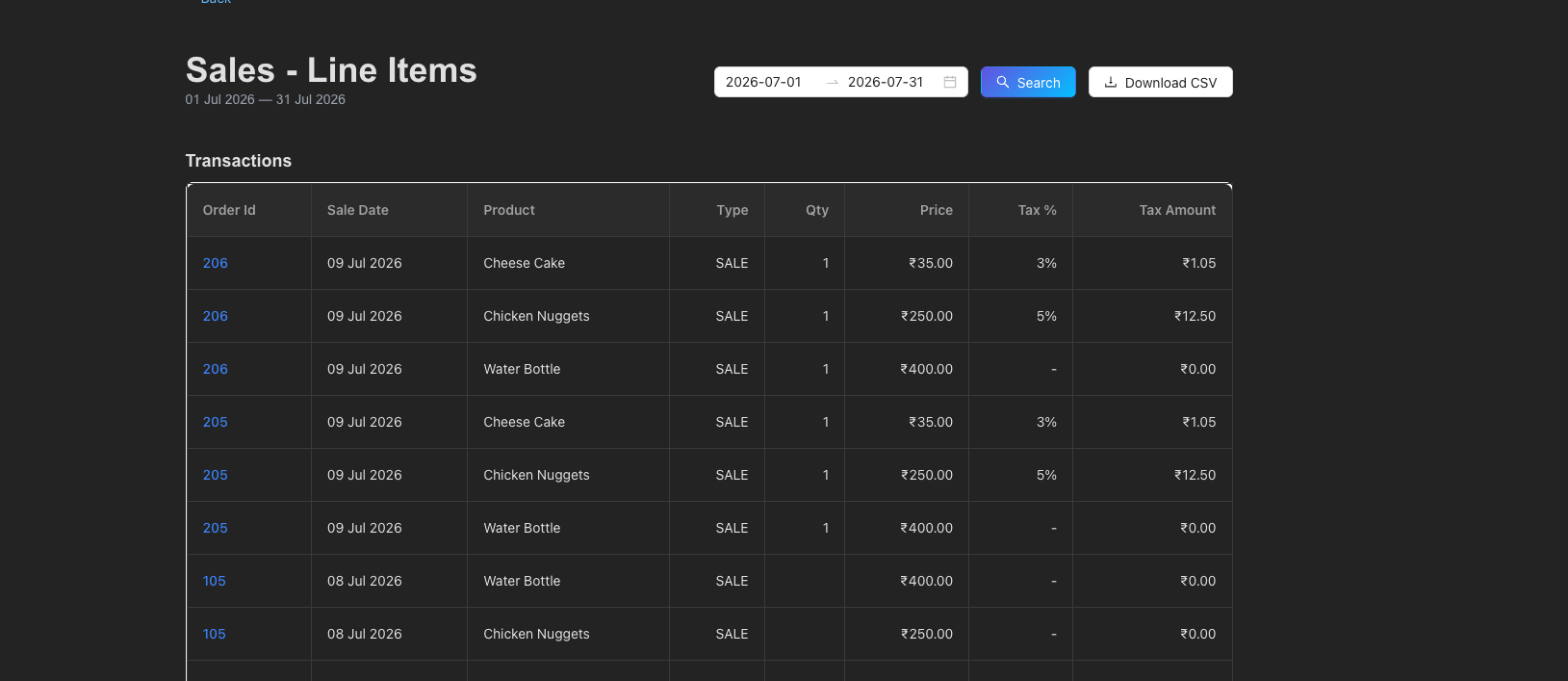
This report can downloaded in excel/csv format.